.svg)

Extracting or distributing SAP data without writing a single line of ABAP code – that’s exactly what Theobald Software is known for. The product family offers a wide range of powerful solutions that make it easy to move SAP data into the environment of your choice.
1. Xtract Universal – Universal SAP Data Integration
With Xtract Universal, you get a stand-alone solution that delivers SAP data exactly where it’s needed: databases, cloud solutions, or BI/analytics tools. Configuration is done via a graphical user interface where you can manage SAP connections, target systems, and extractions, as well as define access rights.
Highlights
- Support for the most important SAP object types and SAP systems
- Flexible target systems (e.g., databases, cloud, BI)
- Central UI for access management
- Incremental data (Delta/CDC)
- Authorization management for secure and controlled SAP data extractions
- Function module for high-performance mass data extractions
Why This Tool Stands Out
Perfect if you want to distribute SAP data to multiple systems without tying up development resources for custom ABAP logic.
2. Xtract IS – SAP Data Integration in SSIS (On-Prem & Azure)
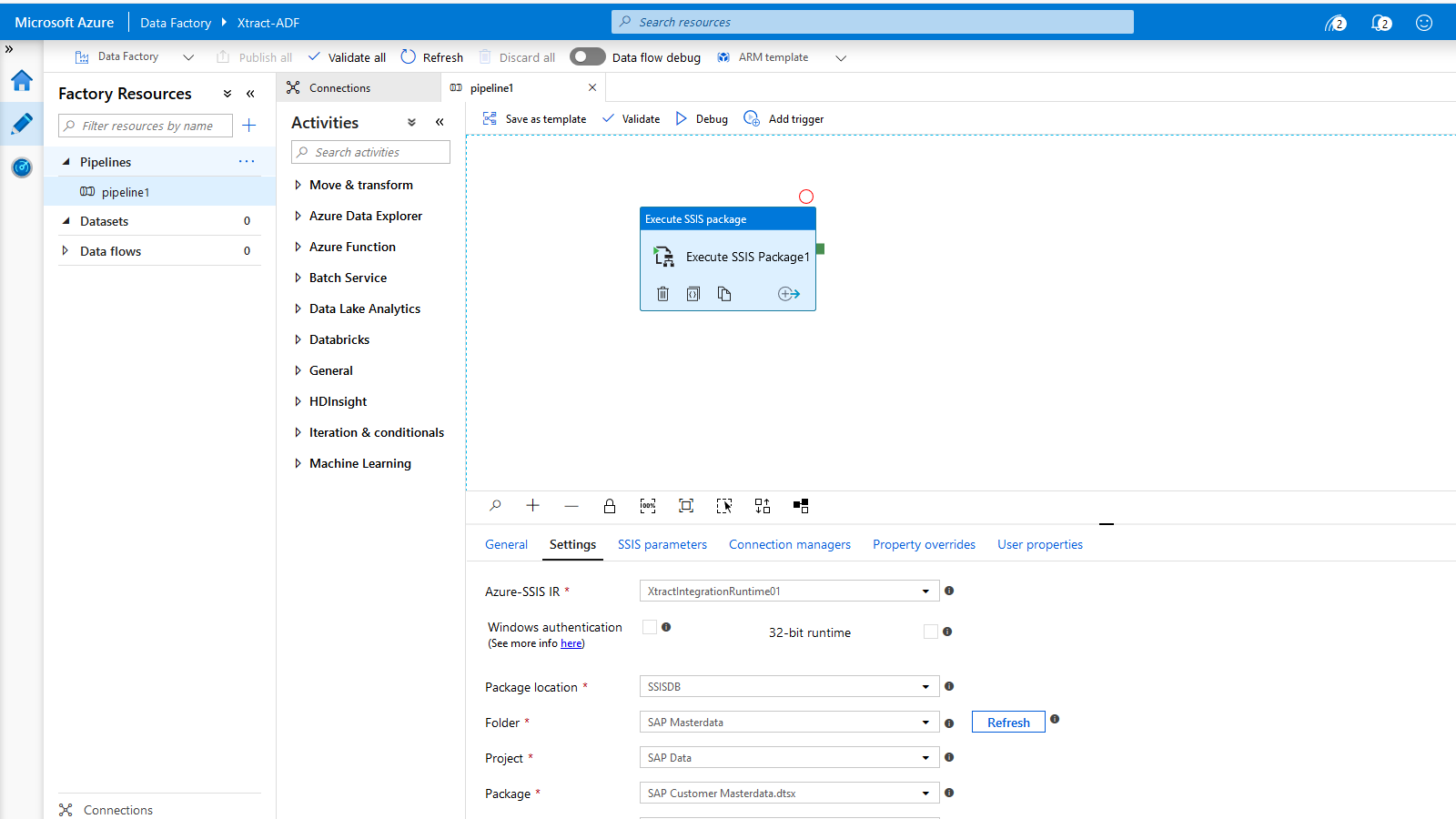
Xtract IS is an SAP connector for Microsoft SQL Server Integration Services (SSIS) that lets you integrate SAP data directly into ETL processes via drag-and-drop – no programming and no ABAP scripts required. All configuration takes place within the familiar SSIS environment.
SSIS packages created with Xtract IS can be executed both on-premises on an SSIS server and in the Azure SSIS Integration Runtime.
Highlights
- Direct SAP integration in SSIS workflows
- Support for the most important SAP object types and SAP systems
- Incremental data (Delta/CDC)
- Function module for high-performance mass data extractions
- Execution of SSIS packages on-premises or in Azure (Azure SSIS-IR)
- Reusable SSIS packages
Why This Tool Stands Out
If SSIS is already in use, Xtract IS is the most pragmatic way to integrate SAP data directly into existing ETL pipelines without detours.
3. Xtract for Alteryx – SAP Data Directly Into the Analytics Tool
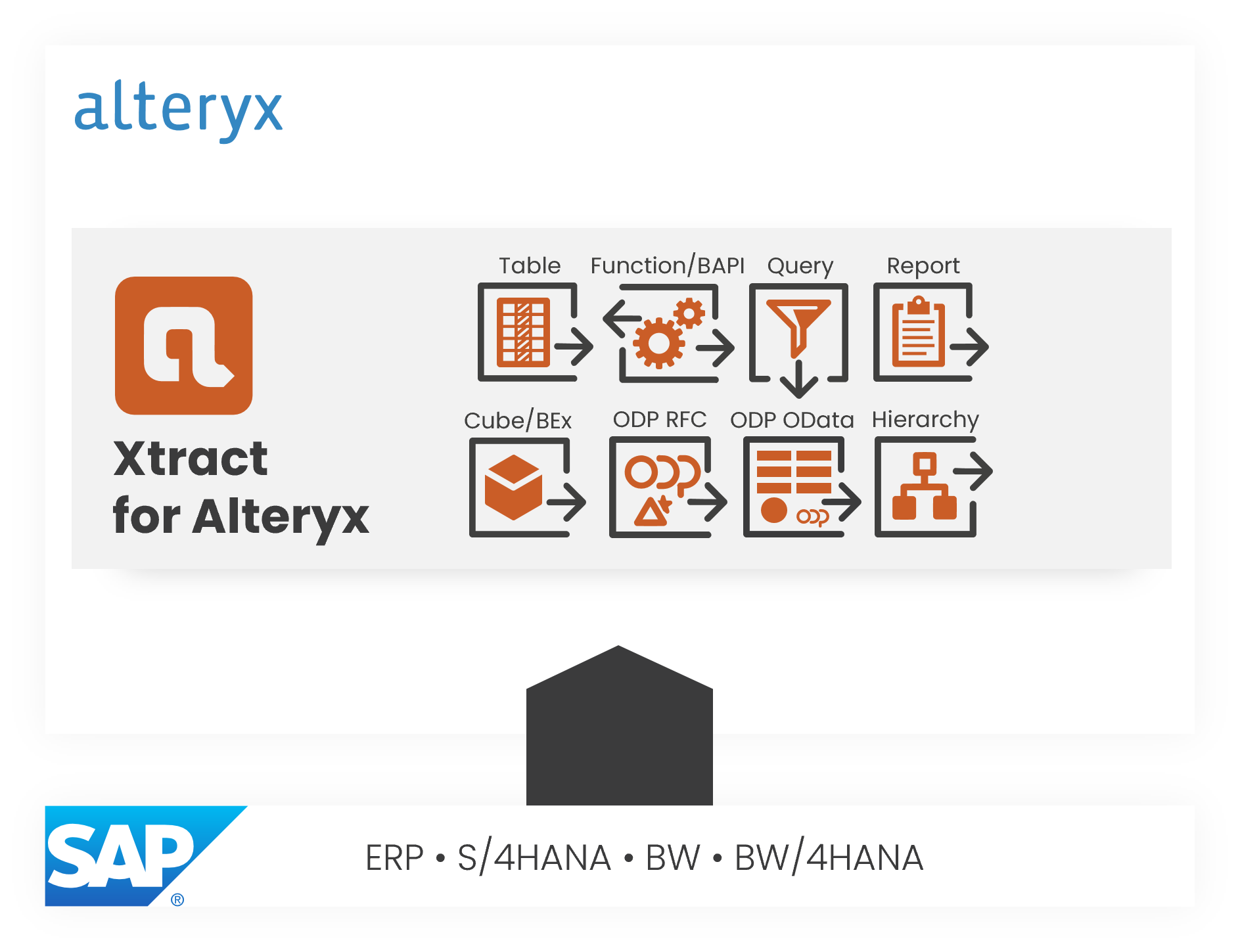
With Xtract for Alteryx, you can integrate SAP data directly into Alteryx workflows – via drag & drop, without ABAP programming and without scripts.
Highlights
- Support for the most important SAP object types and SAP systems
- Processing of large data volumes
- Intuitive operation for analysts & scientists
- Function module for high-performance mass data extractions
Why This Tool Stands Out
Ideal for business analysts and data scientists who want to integrate SAP data into their Alteryx processes without investing in costly development resources.
4. Board Connector – SAP Data for Planning & BI
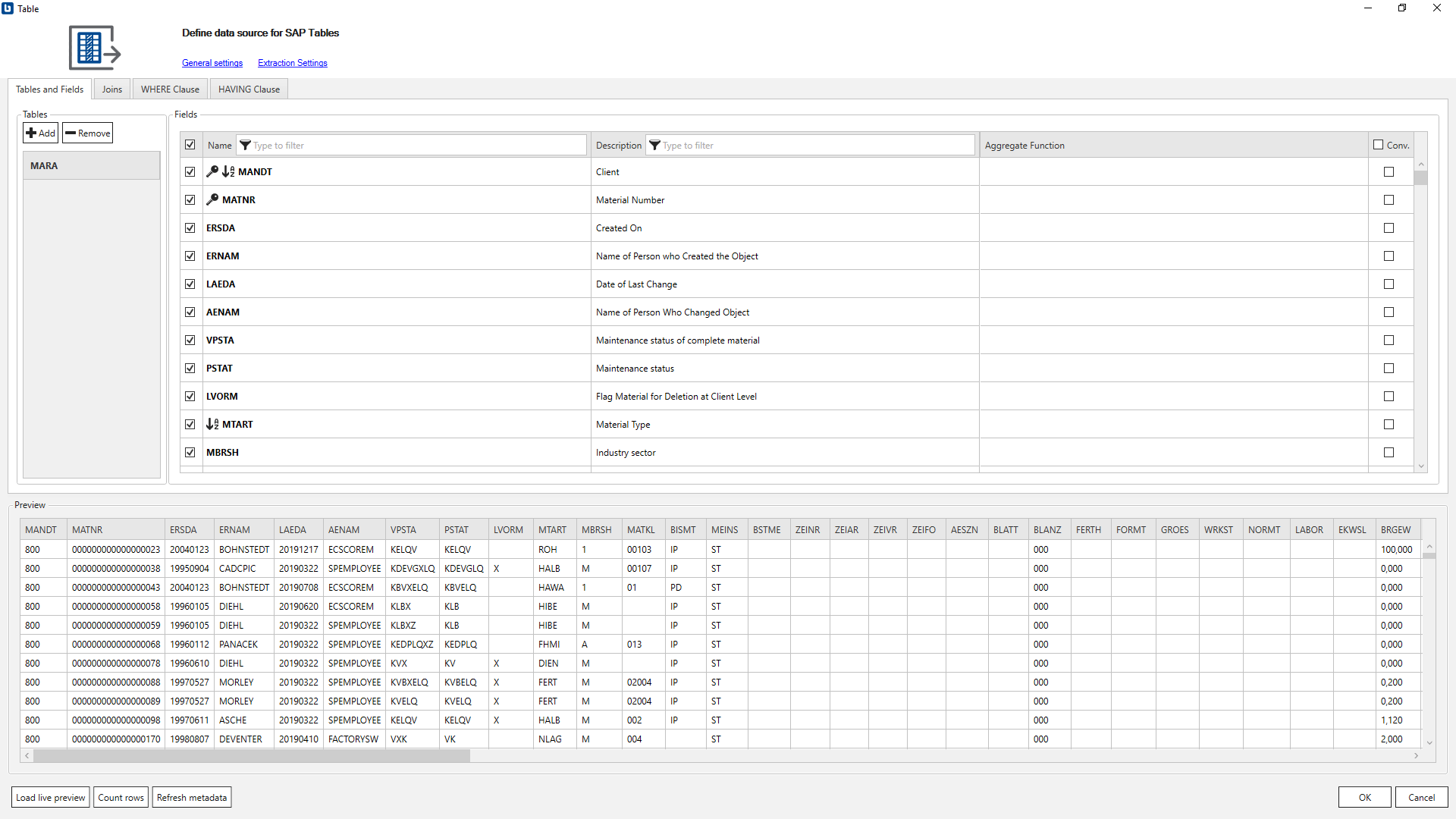
The Board Connector is a specialized tool for integrating SAP data into Board analyses, simulations, and planning processes via a graphical user interface.
Highlights
- Direct SAP data connectivity for Board
- Support for the most important SAP object types
- Incremental data (Delta/CDC)
- Authorization management for secure and controlled SAP data extractions
- Function module for high-performance mass data extractions
Why This Tool Stands Out
If your organization uses Board for planning and reporting, this is the seamless way to integrate SAP data without development effort.
5. Xtract Core – Web API Server für eigene Integrationen
Xtract Core provides a web API interface for integrating SAP data into your own applications via standardized web access.
Highlights
- SAP data accessible via REST/web API
- Enables efficient automation of data extraction processes
- Can be flexibly integrated into your own systems as a white-label solution
Why This Tool Stands Outvvvvvv
Perfect for hybrid and modern architectures where APIs are preferred over classic data pipelines.

6. yunIO – No-Code SAP Process Automation
yunIO automates SAP transactions and data processes completely without SAP GUI development – using a web-based no-code editor.
Highlights
- REST-based web services to read data from SAP and write data back to SAP
- Easy integration into your (cloud-based) process automation
- RPA functionality through automated SAP transactions
- Quickly configurable in the browser
If you want to integrate not only data but also SAP workflows (e.g., SAP → CRM/cloud apps), yunIO is an attractive no-code option.
Comparison Table: SAP Data Integration Without ABAP
Conclusion: SAP Data Integration Without ABAP Is Fast & Simple
The Xtract family and complementary tools from Theobald Software enable companies to bring SAP data into a wide range of target systems – without ABAP programming. From BI and analytics to cloud platforms and process automation, these solutions save time, reduce development risk, and make data available faster.